
TrendSpider offers a single platform for trading, charting, and conducting technical analysis. It brings together a suite of tools designed to help traders plan and time their trades with greater precision.
Built by traders for traders, TrendSpider’s founders have more than a decade of trading experience. The idea for the product began in 2016 when Dan Ushman (now CEO) and Ruslan “Rus” Lagutin (now CTO) set out to build a better trading platform. Their goal was to deliver a modern charting experience with improved tools. Over the years the platform evolved into a comprehensive technical analysis solution with a fully customizable automation engine.
The platform primarily appeals to day traders who want to save time through automation and centralize their technical analysis in one place. Beginners entering day trading can also benefit, particularly from TrendSpider U, which provides educational content. Traders can also take advantage of automated alerts that scan the market for trendline breaks and notify users when conditions are met.
Key TrendSpider Features
Asset Insights – Visualize non-technical trading elements directly on your charts, including integrated Benzinga news.
SmartCharts – Benefit from automated technical analysis that increases efficiency and helps uncover additional opportunities. The web-based charts are fully customizable and include the tools and indicators you need, including the ability to run a full automated technical analysis within minutes.
Strategy Tester – Access more than two decades of historical data for backtesting trading strategies. The intuitive interface requires no programming knowledge.
Market Scanner – Scan the market for chart conditions across any timeframe. Use over 20 built-in scans or define your own ideal conditions.
Dynamic Alerts – Receive alerts via SMS, email, or the app. Set alarms for technical indicators, drawings, or chart patterns without writing code.
Includes Real-Time Data – TrendSpider includes real-time data for a wide range of assets, including cryptocurrencies, forex, futures, and stocks, at no extra charge.
Free One-on-One Support – In addition to standard customer service channels like live chat, email, and phone, users receive one hour of free one-on-one training.
Free Trial – TrendSpider offers a 7-day free trial for new users.
TrendSpider: Pros and Cons
Pros
- Automated technical analysis reduces manual errors, including features like Raindrops for visualizing anchored VWAP movement
- Easy creation of custom alerts with no programming required
- Growing educational resources for new users
- Access to data from most markets and exchanges traders use
Cons
- There is a learning curve for beginners
- Most useful for traders seeking automated technical analysis, though it complements manual analysis as well
How to Sign Up for TrendSpider
- Visit the sign-up page and choose between Premium, Elite, and Master plans. Select monthly or annual billing (annual saves about 16%).
- Enter your first and last name, email address, phone number, and payment details, then proceed.
- Verify your phone number and email address, then start your technical analysis.
TrendSpider User Interface
TrendSpider lets you choose a light or dark theme depending on preference. The platform is designed to be intuitive, with familiar-looking charts and graphs.
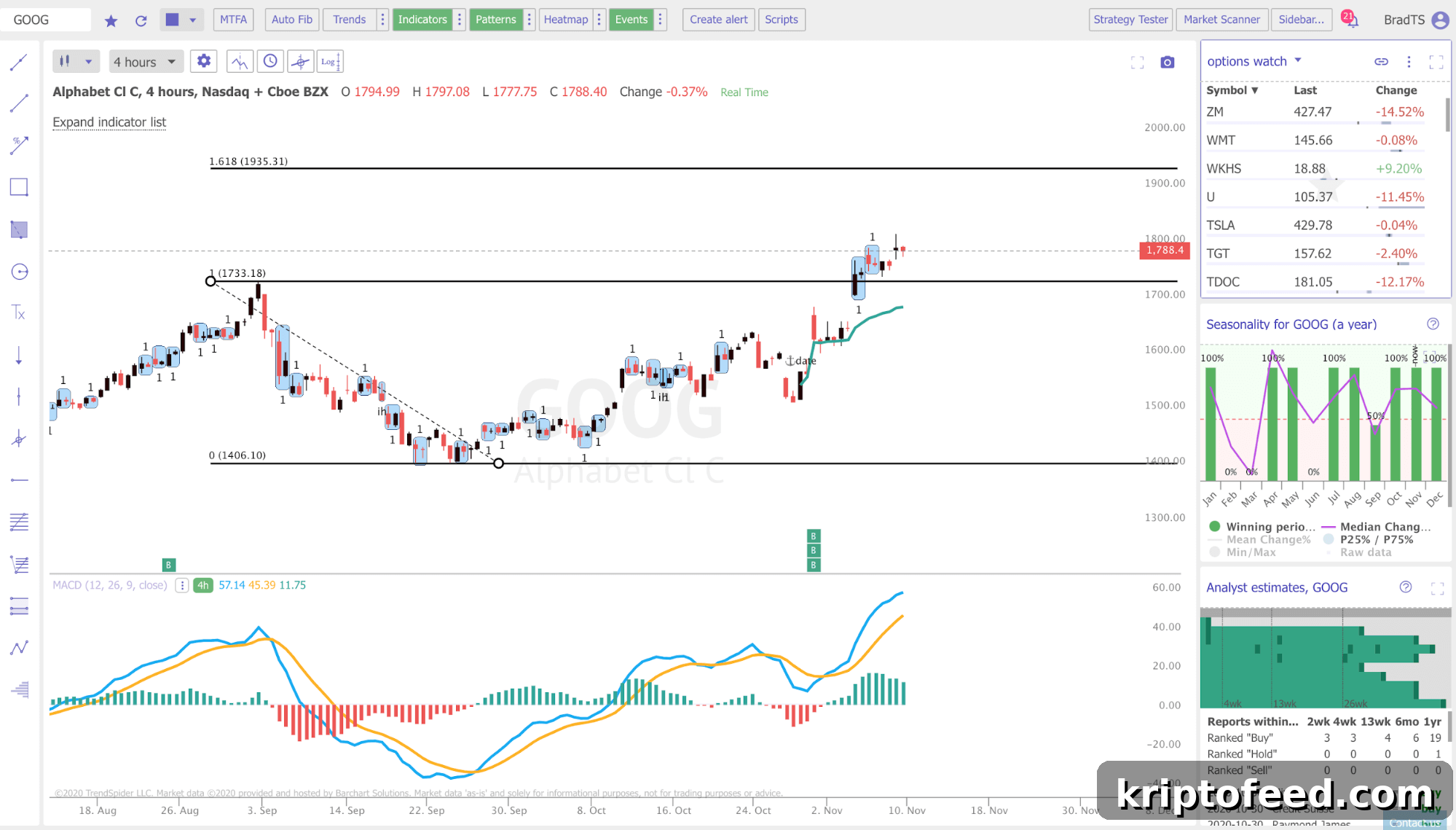
The main menu sits at the top of the page, providing controls for selecting indicators, patterns, and trends, and for configuring automated analysis. Drawing tools are located on the left side of the charts. On the right side, you’ll find customization options to add widgets such as scanners, watchlists, notes, alerts, and more. For example, you can display your watchlist at the top and alerts below.
The platform supports several chart types, including familiar candlestick layouts. You can view multiple charts simultaneously, with up to four charts for a single symbol.
Community Engagement
TrendSpider maintains a presence across Facebook, LinkedIn, Twitter, and Stocktwits. The Facebook page shows moderate activity with nearly 3,200 followers. The platform also operates the Stock Trading Pit community, which has a large membership.
Twitter is a particularly active channel, where the community engagement is high and frequent. If you want to interact with other TrendSpider users, Twitter tends to offer the most consistent activity and real-time discussion.
TrendSpider: Summary
TrendSpider is a solid option for active traders who want to automate and customize their technical analysis. Its pricing tiers and feature sets cater to a range of traders—from those who trade alongside a separate day job, to frequent traders, and to professional traders focused full-time on markets.
Traders looking to improve their skills will find extensive educational resources in TrendSpider U, including dozens of videos covering charting, scanning, indicators, and platform usage. There are also webinar courses for beginners and advanced traders, plus one-on-one training options.
TrendSpider produces regular shows such as the Stock Trading Pit Show, currently in multiple seasons with live videos and archived episodes available on the platform.
Overall, active traders who rely heavily on technical analysis and want to automate portions of their workflow will likely appreciate TrendSpider and may find it worthwhile to try the free trial.